
Powerful tools for inspection & construction management
MoonBIM replaces the patchwork of spreadsheets, group texts, and manual follow-ups with purpose-built tools—from live dashboards and smart scheduling to AI support and energy analysis—all working seamlessly together from office to field.
Everything your team needs, in one place
Click any feature to explore a dedicated deep-dive page.
Dashboard
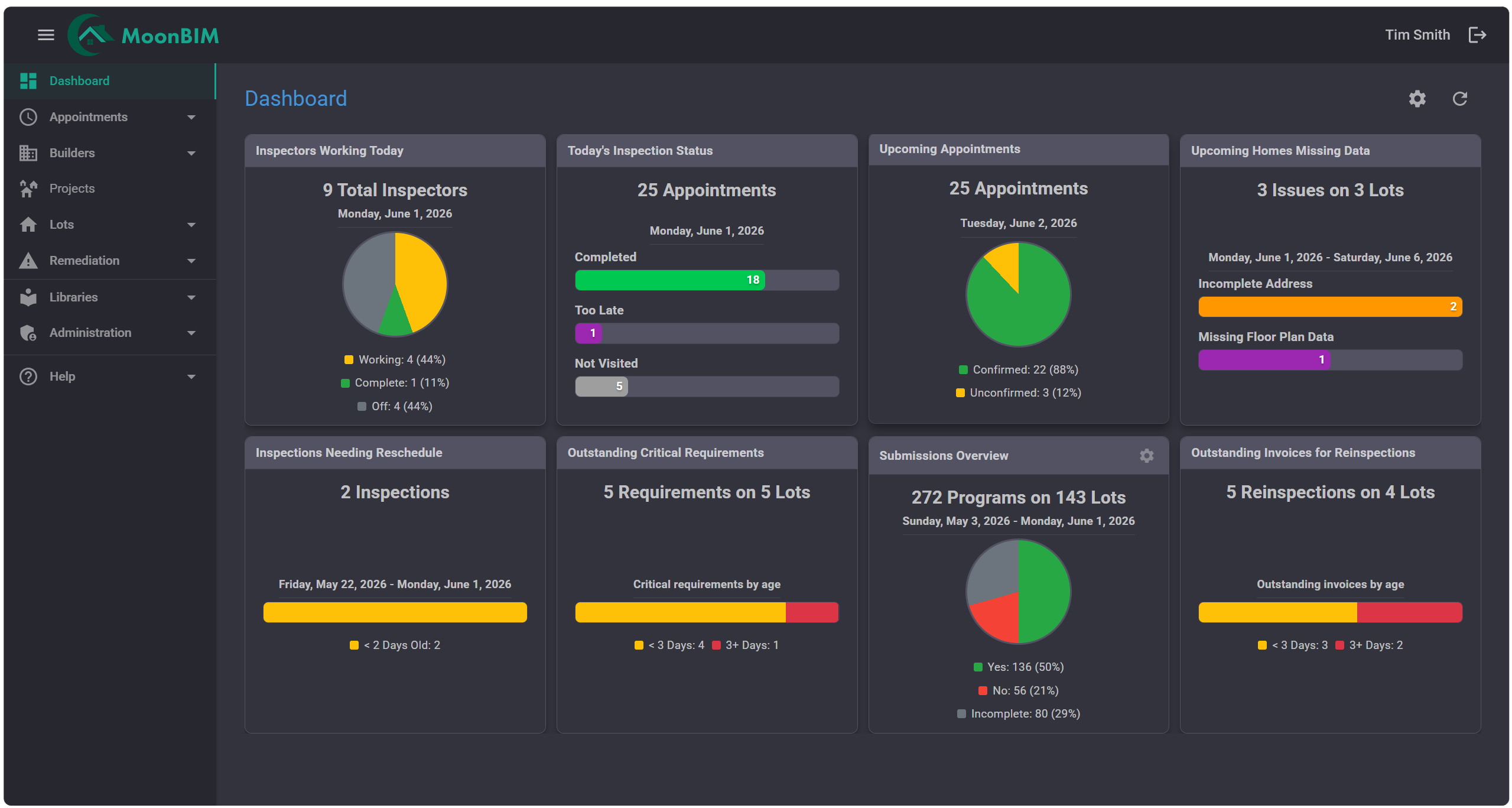
A live command center that surfaces project health, outstanding tasks, and key metrics the moment you log in.
Learn more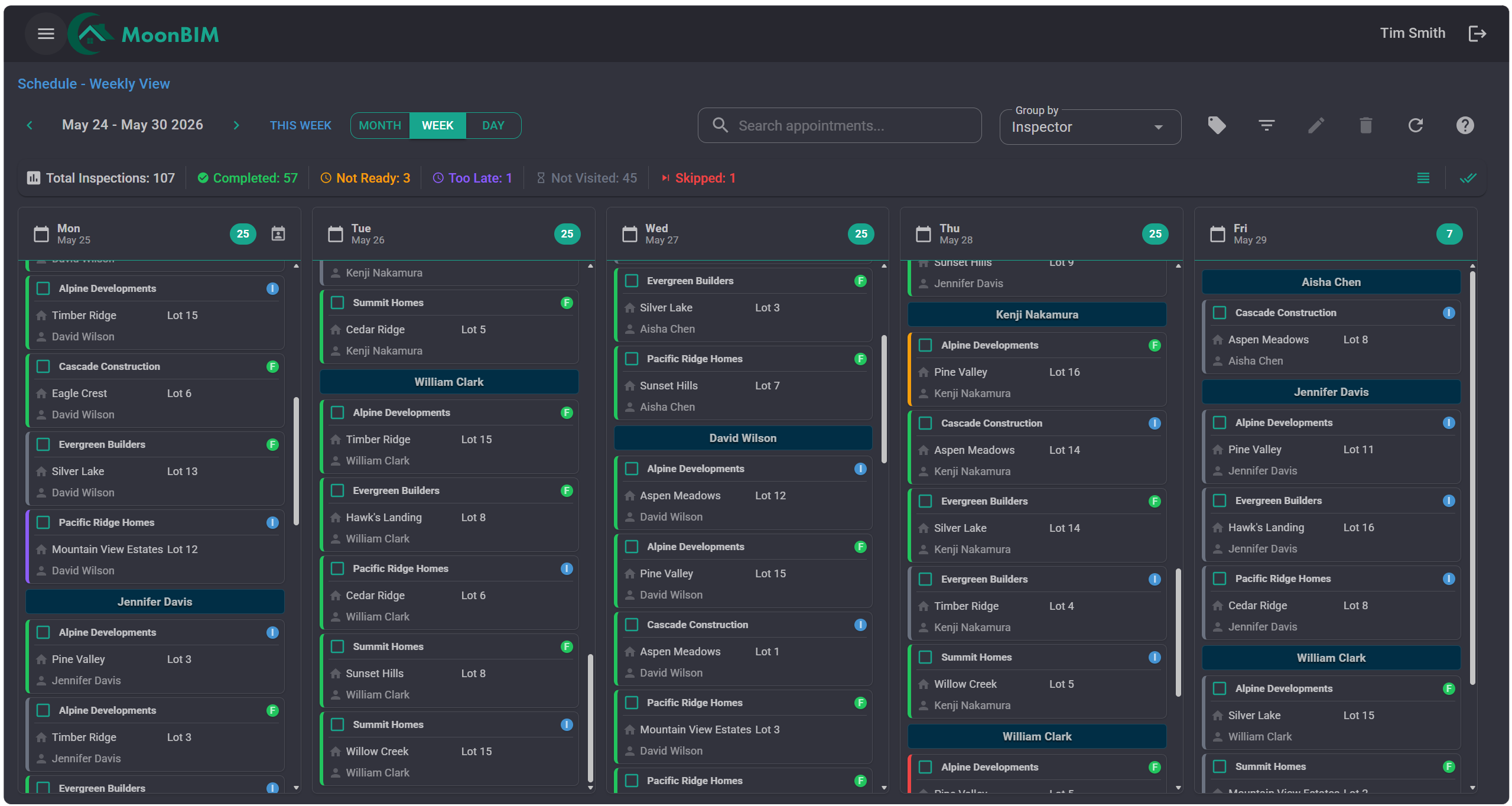
Scheduling
Drag-and-drop calendar scheduling with conflict detection, automated builder reminders, and daily/weekly/monthly views.
Learn more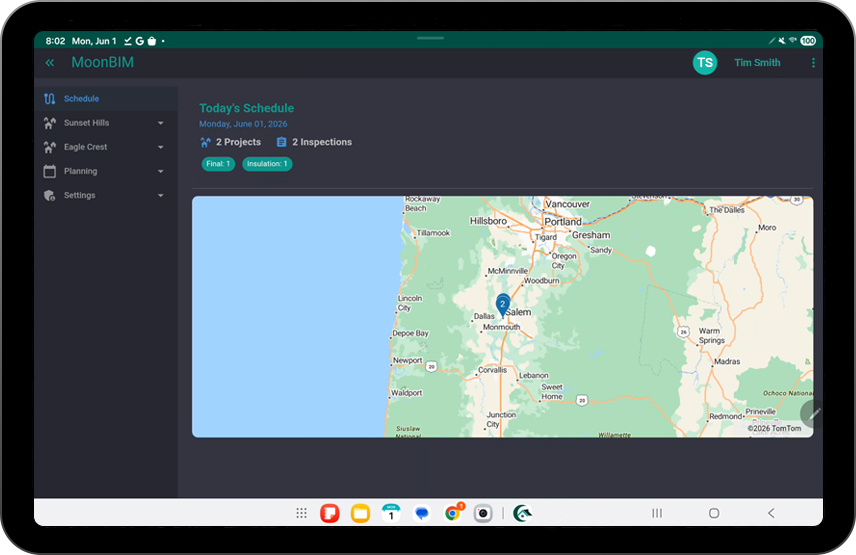
Field Inspections
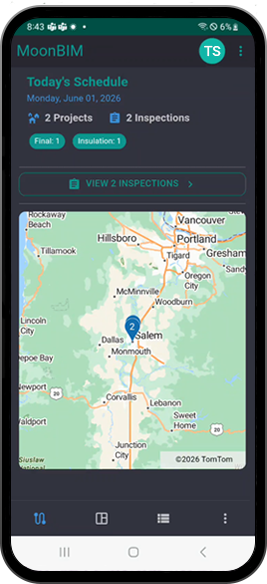
Run inspections on Android and Apple tablets and phones with route details, comments, and status updates back to the office.
Learn more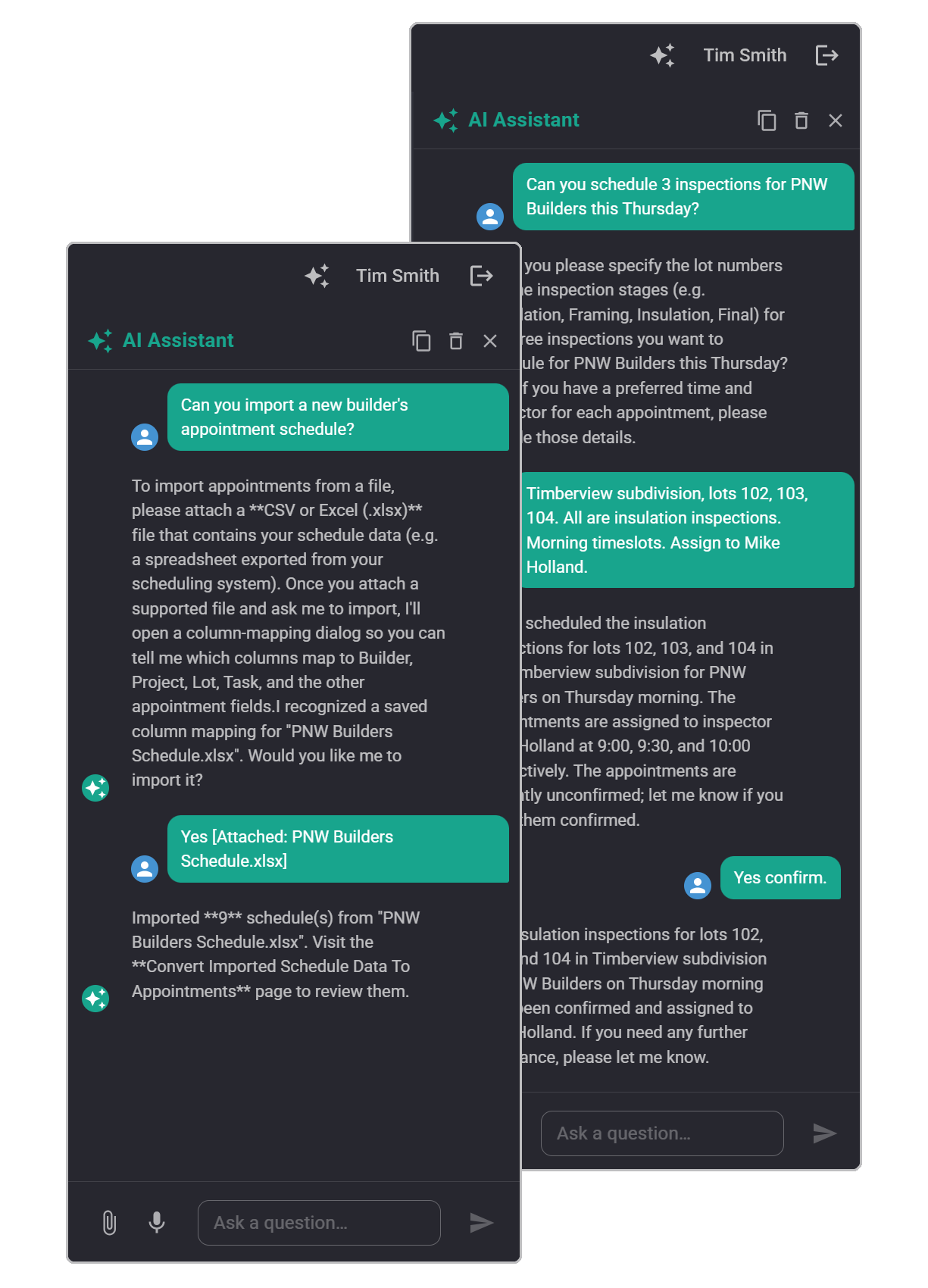
AI Assistant
An intelligent chat assistant that helps with scheduling, imports builder worksheets, and guides your team through the MoonBIM platform—available right in the sidebar.
Learn moreDashboard
See every project at a glance
A centralized live dashboard surfaces real-time project health, outstanding tasks, and key metrics the moment you log in. Stop hunting for status updates—everything surfaces automatically.
-
Live project health indicators
Color-coded status at a glance—green, amber, red—so nothing slips through unnoticed.
-
Task & action-item tracking
Outstanding items surface automatically so the team always knows what’s next.
-
Customizable metric tiles
Pin the KPIs that matter most to your workflow—inspections complete, rate, and more.
Smart Scheduling
Plan, assign, and track—without the chaos
Drag-and-drop scheduling makes it easy to assign inspections, avoid calendar conflicts, and keep every team member aligned. An AI assistant is available to help optimize assignments and import builder worksheets.
-
Drag-and-drop calendar
Assign or reschedule inspections in seconds with an intuitive visual calendar.
-
Conflict detection
Inspector availability is visible when scheduling so you can avoid conflicts before they become a problem.
-
Team-wide visibility
Everyone on the team sees the same up-to-date schedule, eliminating miscommunication.
Field Inspections
Run inspections confidently on Android and Apple tablets and phones
MoonBIM gives inspectors a field-ready native experience on Android and Apple tablets and phones so they can see scheduled stops, review details, capture comments, and stay aligned with the office without bouncing between tools. The app works offline, keeping every photo safe, fast, and ready to upload later.
-
Tablet-ready route view
Inspectors see their scheduled stops, review details, and work through the day with a clear large-screen field layout.
-
Android and Apple phone support
Android and Apple phones keep routes, stop details, and comment capture available in the field when inspectors need everything in their pocket.
-
Sync back to the office
Completions, comments, and updates flow back to MoonBIM when inspectors submit their inspections, so schedulers and managers stay current.
AI-Powered
An intelligent assistant for scheduling and navigation
MoonBIM’s AI Assistant lives in a sidebar chat drawer. Use it to help with scheduling tasks, import inspection schedules from builder-provided worksheets, or get guidance on navigating the MoonBIM platform.
-
Scheduling assistance
Ask the AI to help assign inspections, resolve scheduling conflicts, or optimize your team’s calendar.
-
Worksheet import
Upload a builder’s scheduling worksheet and let the AI map and import inspection requests into MoonBIM.
-
Platform navigation
Ask where a setting is or how to complete a task and get step-by-step guidance on using MoonBIM.
Ready to get started?
See MoonBIM in action
Book a personalized 30-minute demo and we’ll show you exactly how MoonBIM fits your team’s workflow.